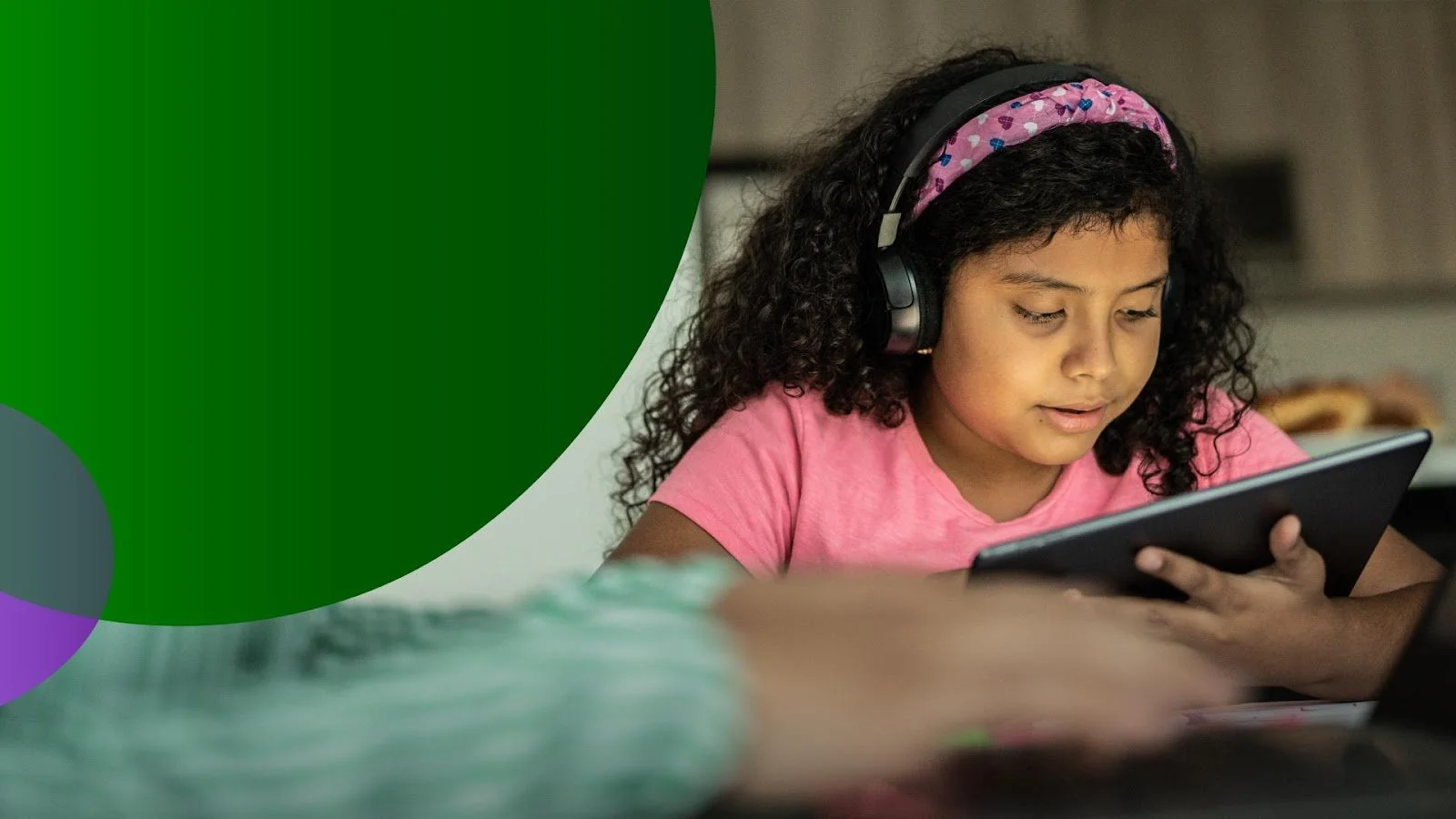
Watching YouTube videos is a complex and potentially concerning experience for families. It can be tough for parents to feel confident in what their children are actually watching because of unrated content, autoplay, and advertisements.
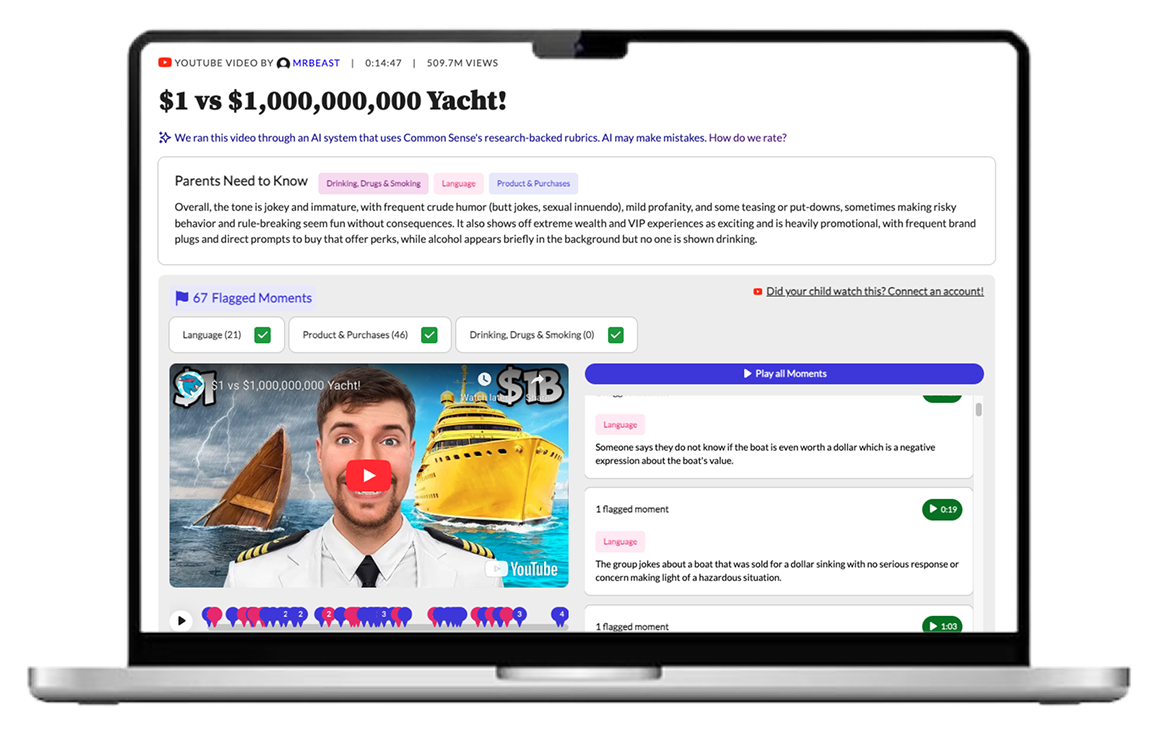
At Common Sense Media, I explored how AI-powered video analysis could help families make more informed decisions about what their kids watch on YouTube. Through rapid prototyping, user research with families, and frontend development, I developed a product concept that previews concerning moments of a video with high level summaries and recommendations. This work laid the foundation for a beta product launch and a potential third-party integration that could reach 6 million families worldwide.
Role
AI Prototyping Intern
Overview
Timeline
June - August 2025
Skills
Tools
Replit (AI-enabled coding platform)
Claude Code
Figma
TypeScript/Next.js
UXTweak (usability testing platform)
Defining the problem

Common Sense Media is known for its parent-facing reviews that help families make informed decisions about TV shows, movies, books, and games for their kids. However, popular media formats such as YouTube remain largely unexplored in terms of content evaluation. With recent advances in AI and LLMs enabling content analysis at scale, this presented a clear opportunity to extend Common Sense’s mission to a newer, more complex media environment.
Parents are concerned about violence, profanity, and suggestive content, which can appear even with Restricted Mode.
Parents are also concerned about subtler risks in YouTube videos, such as product placement and influencer marketing.
Many young kids (5-10) watch YouTube videos with their parents, or require permission to watch certain videos.
Parents find it hard to stay in the loop because of lack of supervision and limited time.
WHAT CAN AI VIDEO ANALYSIS DO?
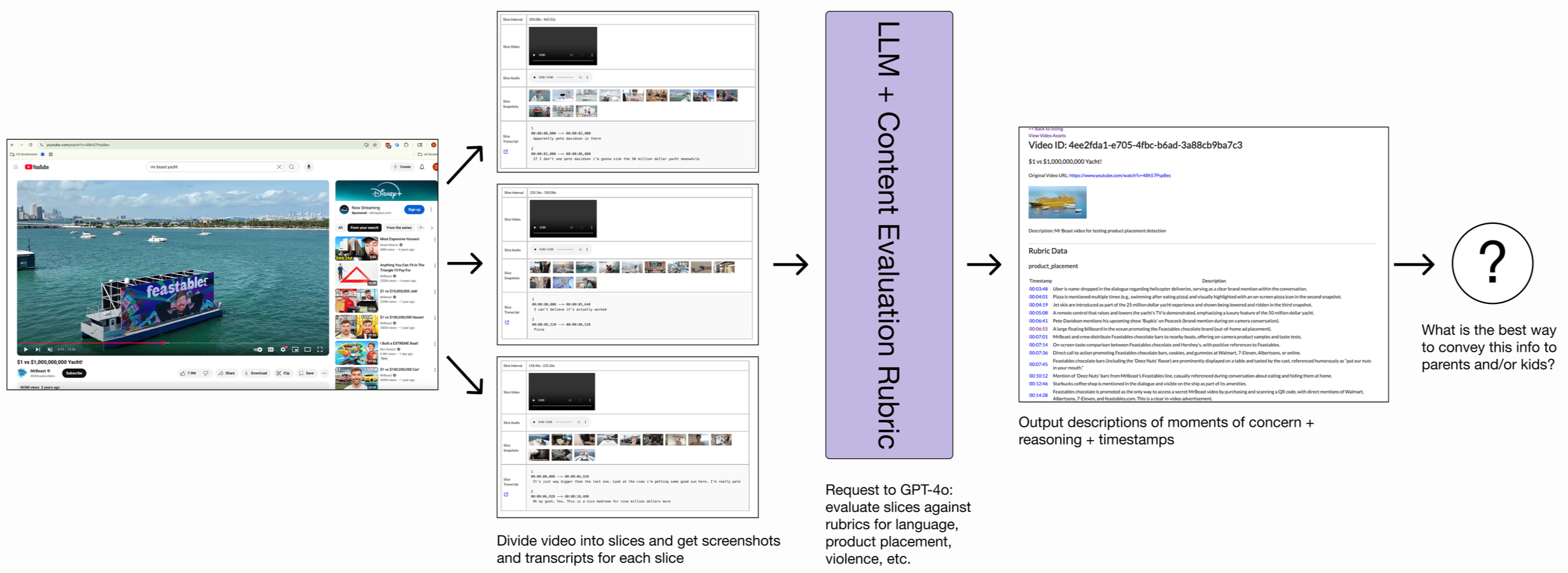
The AI Prototyping team had developed an approach to ingest a video and pinpoint exact timestamps of moments of concern alongside detailed explanations.
I explored how these outputs could be translated into user-facing tools that better support families’ decision making around watching YouTube videos.
Ideation
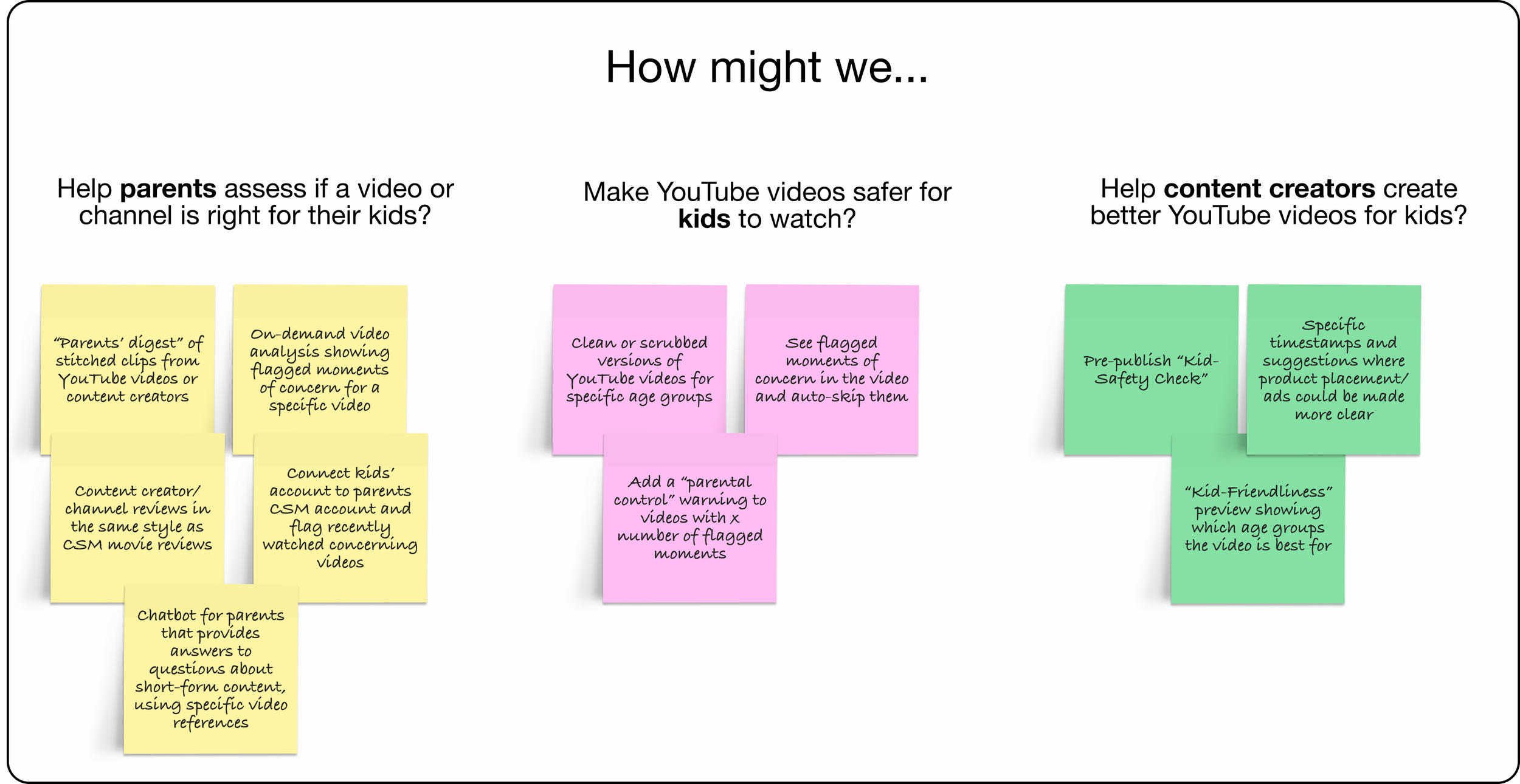
While exploring potential applications for this technology, I considered a variety of users, from parents and kids to content creators.
Prototyping
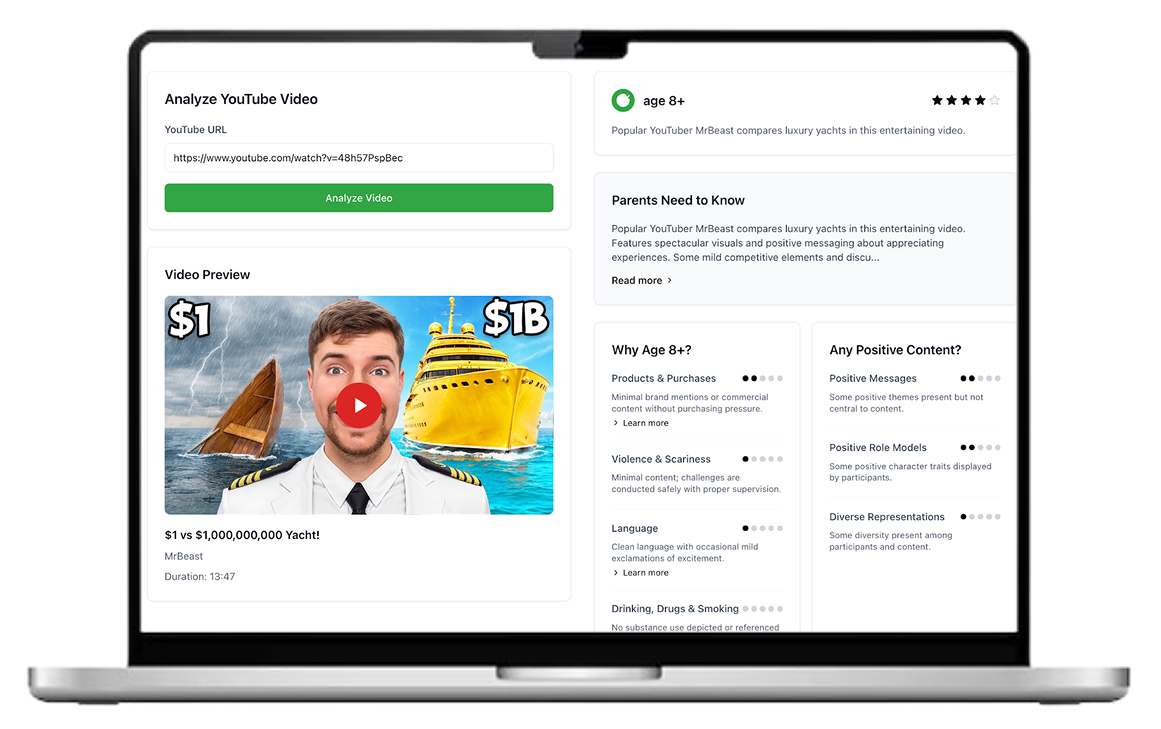
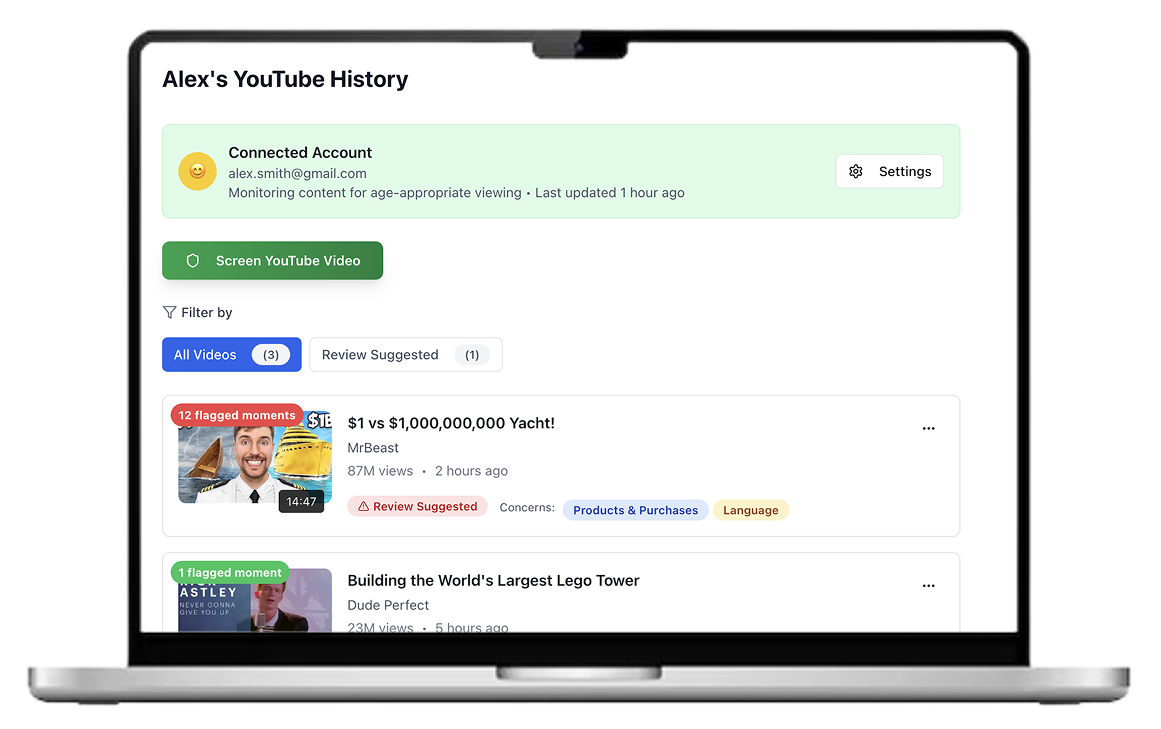
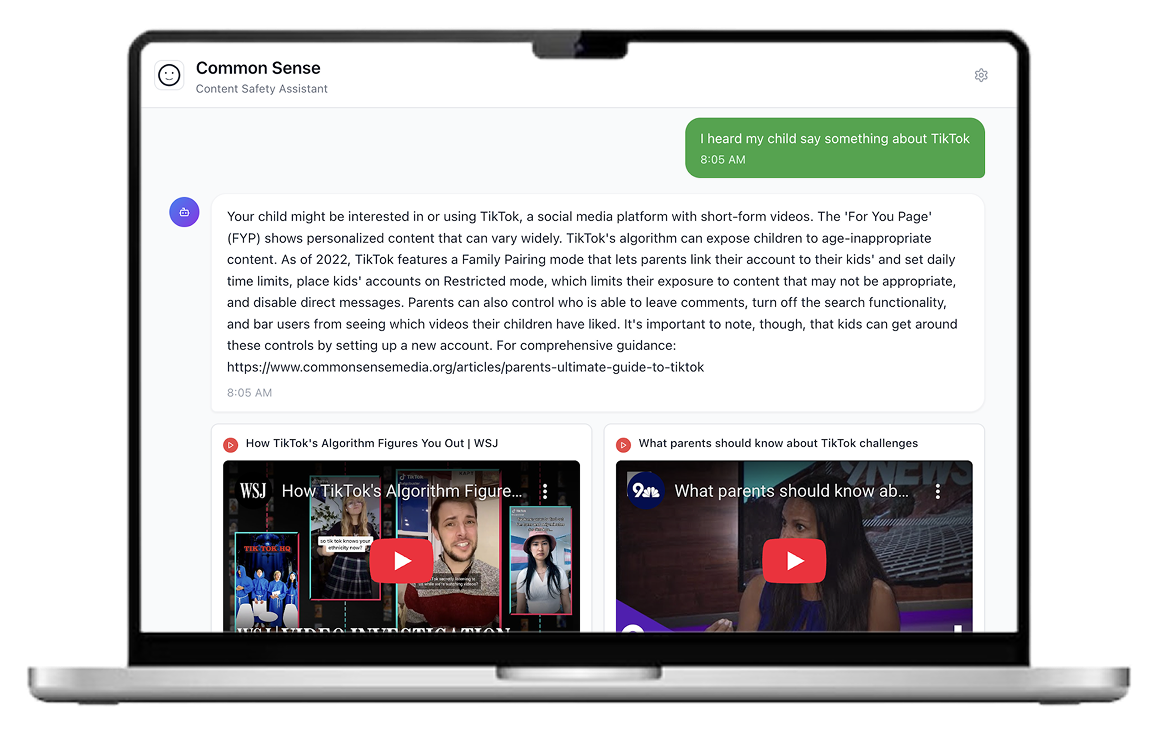
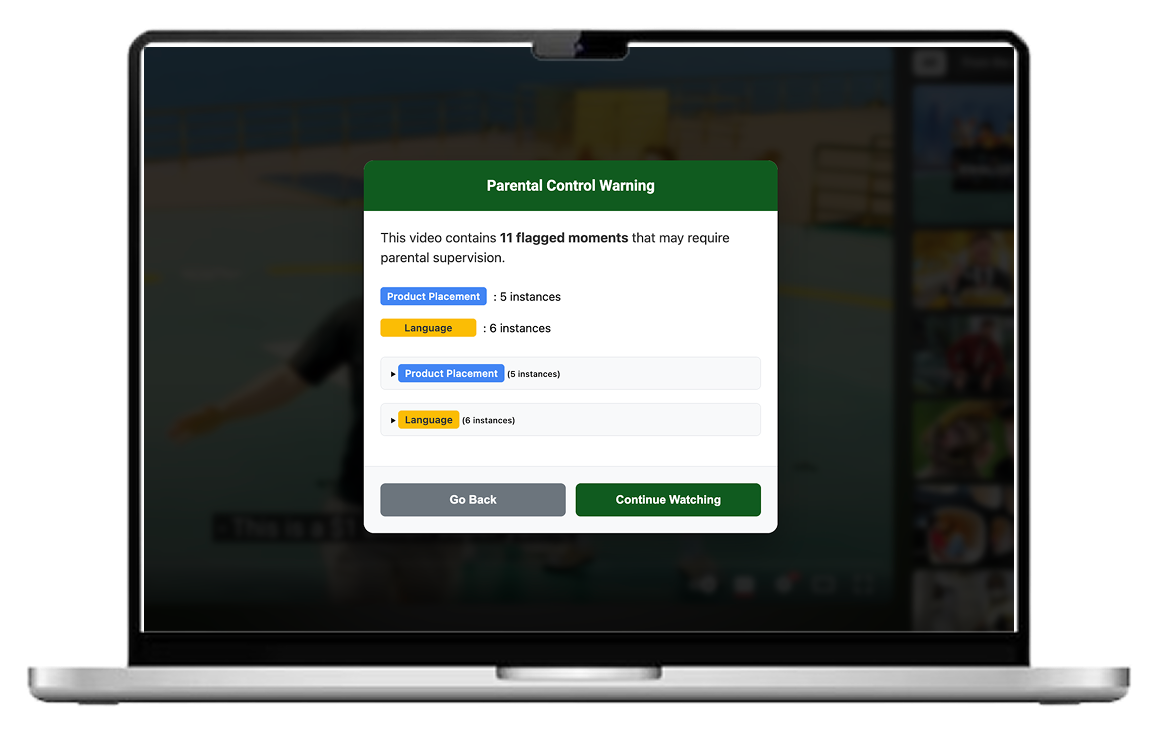
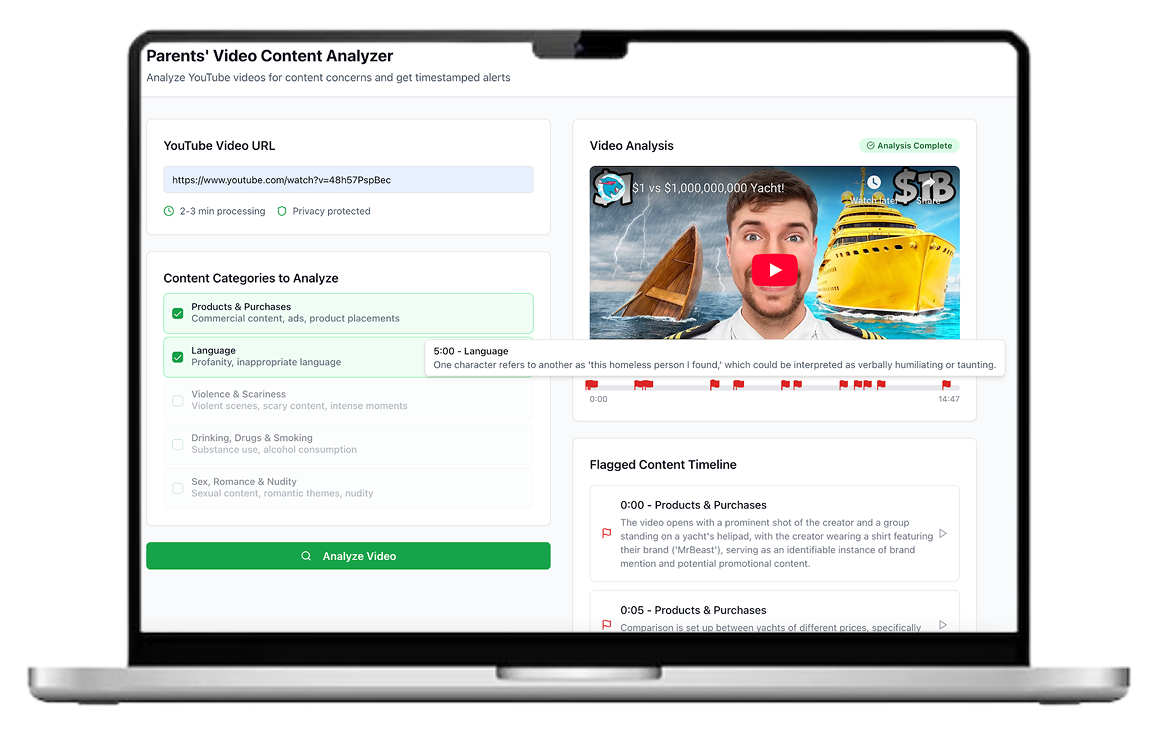
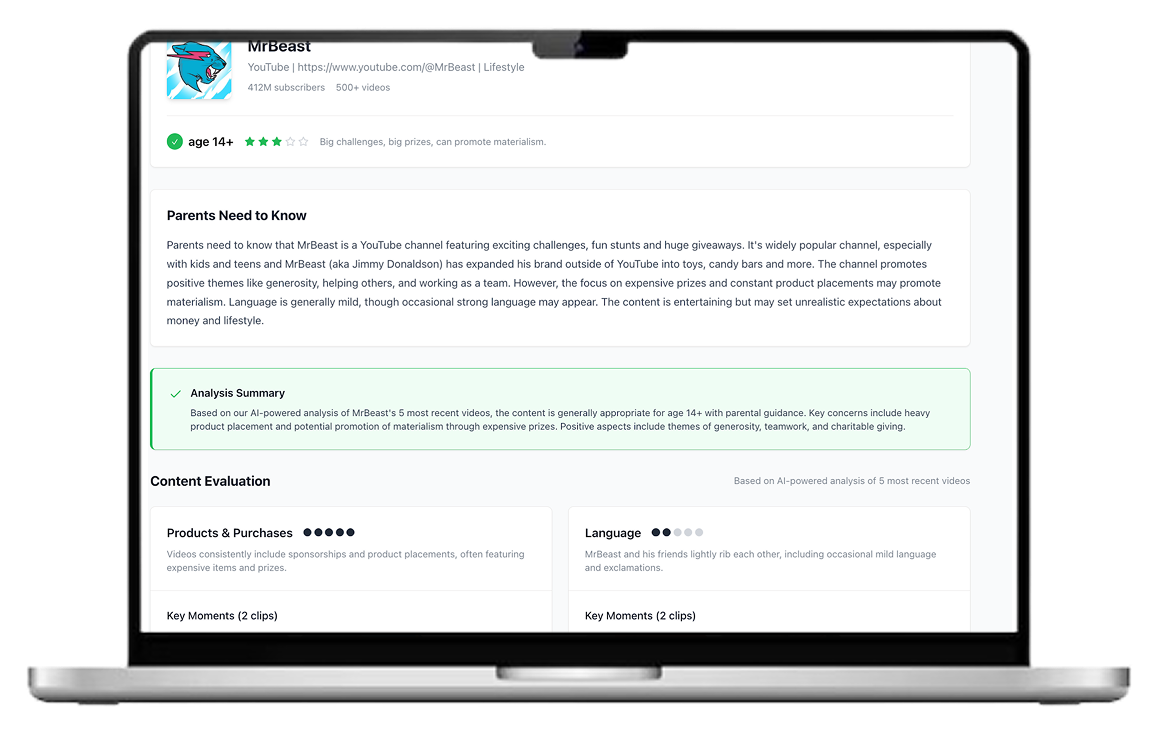
I created interactive prototypes for many of these ideas using AI-assisted coding through Replit. While these speculative prototypes were not connected to the backend AI video analysis technology, they enabled rapid exploration of interactions, feature sets, and visual language.
User Testing + Iteration
In order to validate and narrow down on the product concepts from above, I user tested the prototypes with both parents and educators of kids and teens.
14
moderated user studies on Zoom
KEY INSIGHT: Parents want to screen YOUTUBE VIDEOS before their kids watch them, and will make time to do so.
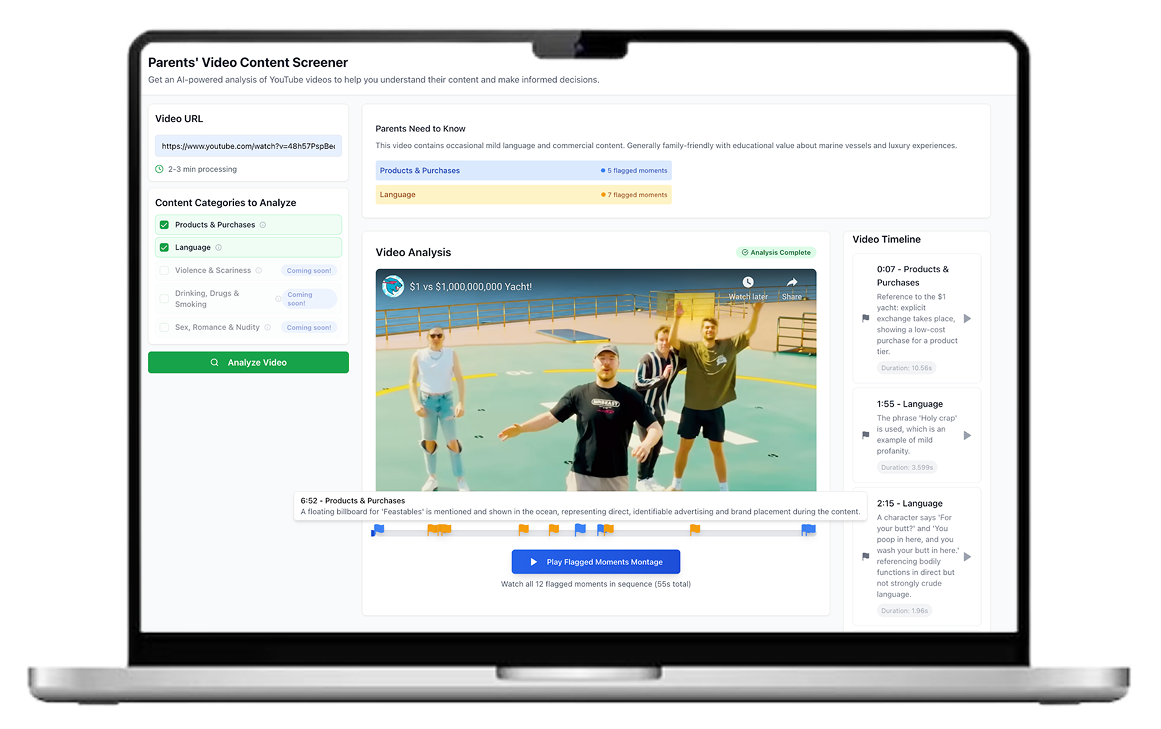
9 out of 11 parents interviewed were especially enthusiastic about this pre-screening prototype that allowed them to preview potentially concerning moments in a YouTube video before their child watched it. This was a clear signal that this tool was worth narrowing on and exploring more.
Iterations
I explored UI and UX improvements to the pre-screener tool, including cleaner and categorized visual language around flagged moments of concern on the video player itself, summary roll-ups of the key categories of evaluation, and an age recommendation for the video itself.
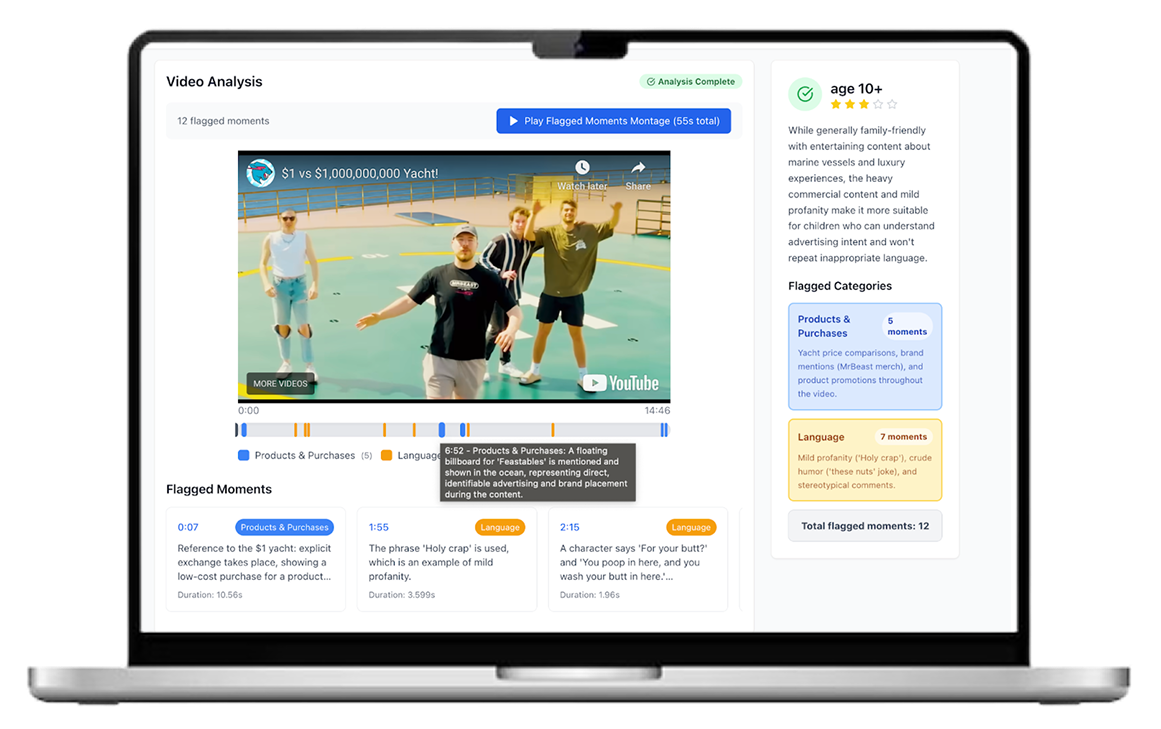
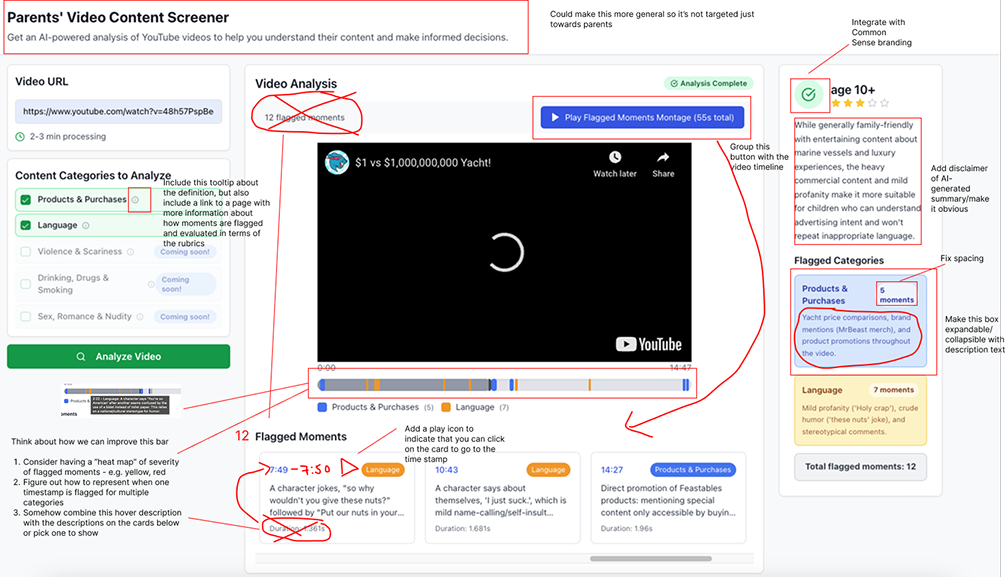
I also sought feedback from senior product designers at Common Sense on how to improve the UI/UX and interactions with the tool.
Outcome
The outcome of my internship was 1) a validated product recommendation for a YouTube pre-screener tool, supported by user research insights and 2) a series of proof-of-concept prototypes — including both looks-like and works-like versions demonstrating the experience and technical feasibility.
Works-like prototype
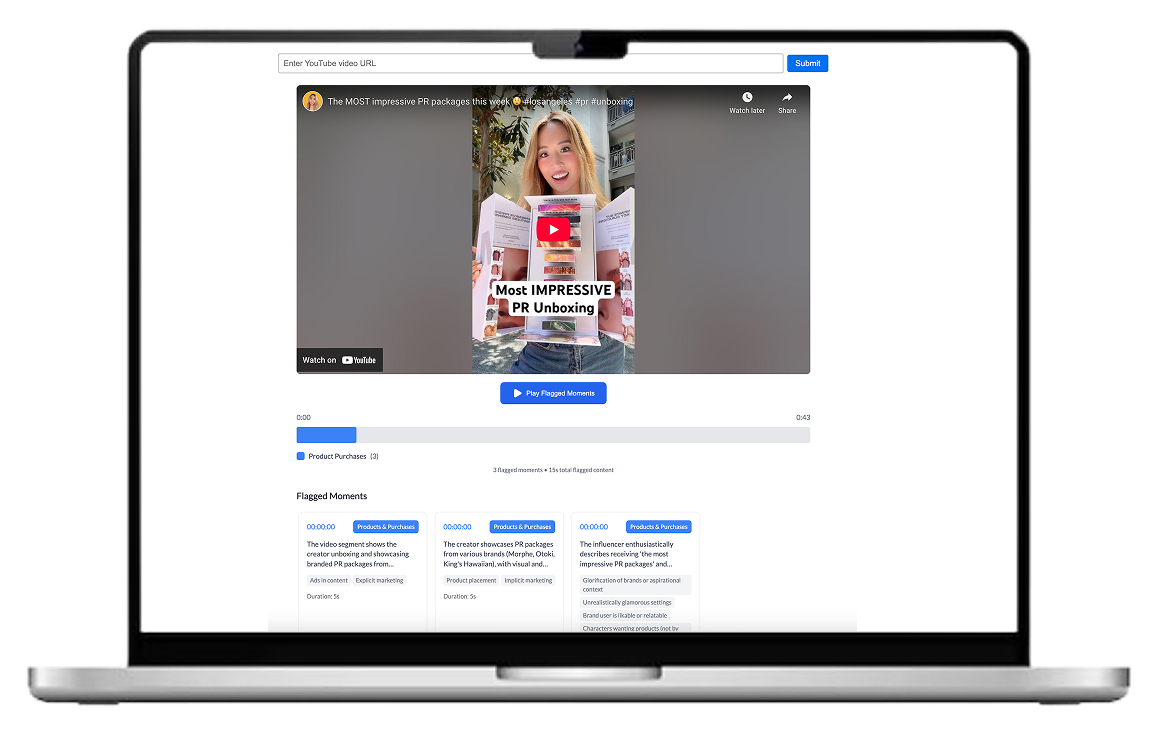
I built a lightweight frontend in Next.js that connected to the live video analysis backend. The goal wasn’t polished UI, but to demonstrate a working end-to-end proof of concept that I could hand off to the team as a starting point for the final product.
LOOKS-like prototype
BETA PRODUCT LAUNCH + INTEGRATION WITH 3RD PARTY TOOL
After my internship, the AI Prototyping Squad launched a beta video pre-screener product which received positive reviews and a 10% retention rate. The Common Sense team is exploring integrations with third party parental visibility softwares that are projected to reach 6M families worldwide.